Compare proportions before pixels
Start with the shape of the screen you want to fill, then compare the width and height of the available image. More pixels do not guarantee a good fit: a landscape image can lose its subject at the sides on a portrait screen even at high resolution.
For example, 1080 × 2400 and 1440 × 3200 both have a 9:20 ratio. The latter has about one-third more pixels along each dimension. Their framing can match while their detail capacity differs. These are illustrative sizes, not specifications for every iPhone or every artwork.
Open a work in the wallpaper catalog and read its actual available dimensions. Do not infer them from HD or 4K labels. Check a foldable phone's inner and cover screens separately.
Why filling the screen crops the image
When image and screen proportions differ, filling the background usually removes some content. Fitting the whole image may leave space for the system to handle. No single pixel size guarantees an uncropped result on every screen.
- Keep the main subject visible before zooming to fill the background.
- Check important details at the top, corners and bottom.
- Check the clock, notifications and icons over the subject.
- If these needs conflict, choose a composition with more empty space rather than repeatedly zooming in.
Use a preview to assess empty space
Candy Planet places most of its subjects in the middle and lower part of the image, with a quieter sky above. That makes the relationship between clock and subject easier to inspect. Confirm the result in your system wallpaper preview with your own text size.
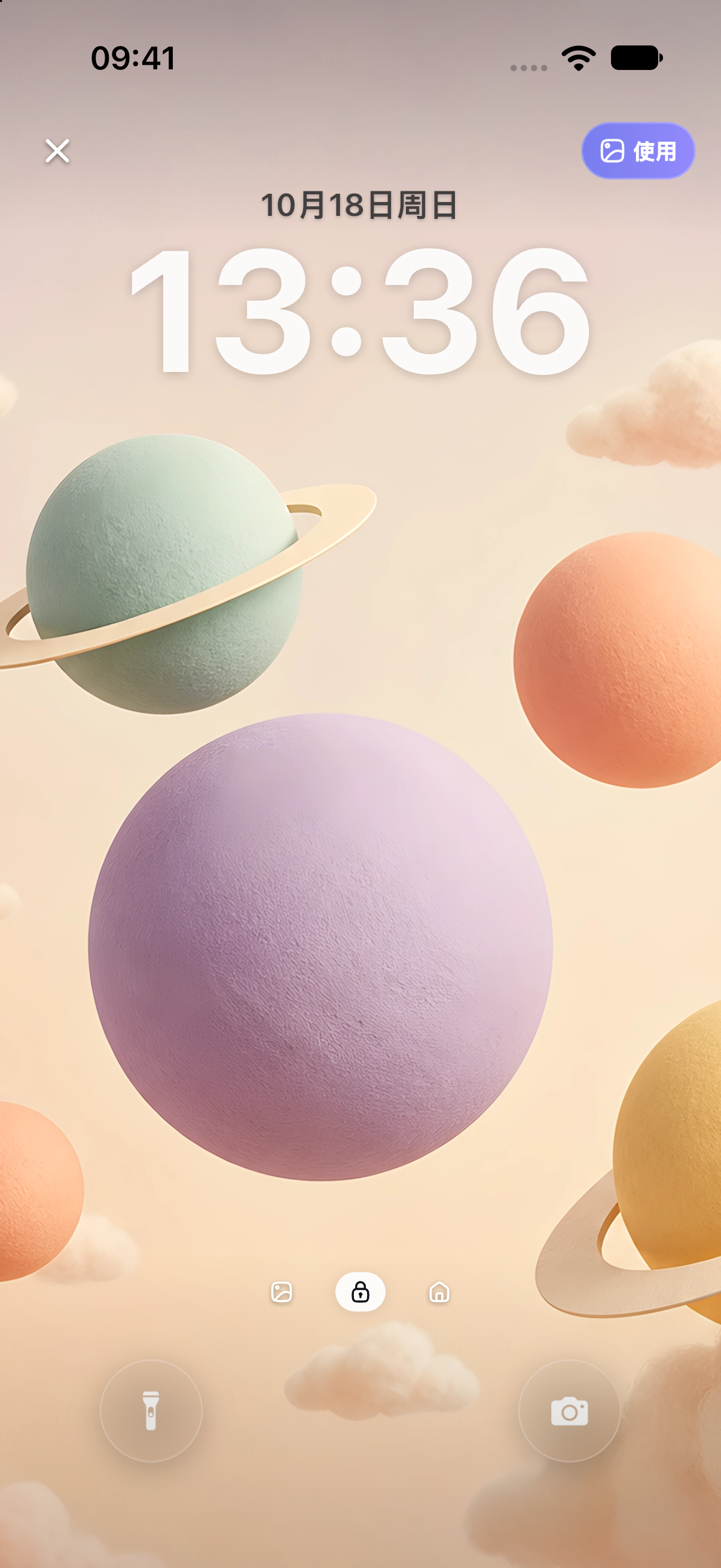
Compare subject placement in playful wallpapers or look for less visual texture in minimal wallpapers. Assess the individual work before deciding on a style.
Check the applied result
After setting the wallpaper, inspect both screens. Check the clock, notifications, icons and widget text. Repeat after changing screens, text size or layout. Follow the iPhone wallpaper guide for the system steps.
Frequently asked questions
Is a larger image always better?
No. It may retain more detail, but an unsuitable ratio or composition still causes cropping. Match the screen shape and subject placement first, then compare quality.
Why is the same image cropped differently on two phones?
Screen proportions, system scaling and your chosen crop can differ. Adjust each preview rather than relying on the phone brand alone.
Can enlarging a small file make it truly high resolution?
Simple enlargement or saving again does not add missing detail. Prefer a higher-resolution version supplied by the creator, or another image suited to your target size.
Official references
Sources checked: 2026-10-18. After a system update, follow the official instructions and device interface for your version.